Free Wi-Fi in Japan: A Guide to Finding It and Major Spots - GTN MAGAZINE
日本語
日本語
English

Free Wi-Fi in Japan: A Guide to Finding It and Major Spots

With the number of international visitors to Japan increasing year after year, many travelers find themselves asking: "How can I stay connected to the internet during my stay?" For overseas travelers, a stable internet connection is essential—whether it's for looking up directions, booking a restaurant, or staying in touch during an emergency.

While Japan was once criticized for its lack of free Wi-Fi, coverage has significantly expanded, particularly in major cities. In this article, we provide a thorough guide for travelers, covering everything from how to find and connect to free Wi-Fi hotspots across Japan to essential security tips.

The State of Free Wi-Fi in Japan

A person using a smartphone in a Japanese city.

Why is Free Wi-Fi Hard to Find in Japan?

Despite being a developed nation, Japan has historically been said to lag behind Western and other Asian countries in providing free public Wi-Fi.

The main reasons for this include:

Low Demand from Domestic Users

High-speed mobile networks became widespread in Japan early on, and many Japanese people use mobile data plans with large data allowances.

As a result, the need for free Wi-Fi in daily life was relatively low.

High Security Awareness

Japanese society has a high level of awareness regarding security and personal information protection, leading to a cautious approach toward the proliferation of free Wi-Fi, which is used by an unspecified number of people.

Technical and Legal Challenges

In Japan, providing free Wi-Fi has been recommended to include user registration and the storage of communication logs, which placed a certain burden on providers.

However, with the hosting of the 2020 Tokyo Olympics and Paralympics, the Wi-Fi environment for foreign visitors has been rapidly improving.

Thanks to initiatives like the government-led "Guidelines for Improving and Strengthening Multilingual Support to Realize a Tourism-Oriented Nation" and the "Council for the Promotion of Free Public Wireless LAN," the availability of free Wi-Fi at major tourist destinations and transportation hubs is advancing.

About the "Japan.Free Wi-Fi" Common Symbol Mark

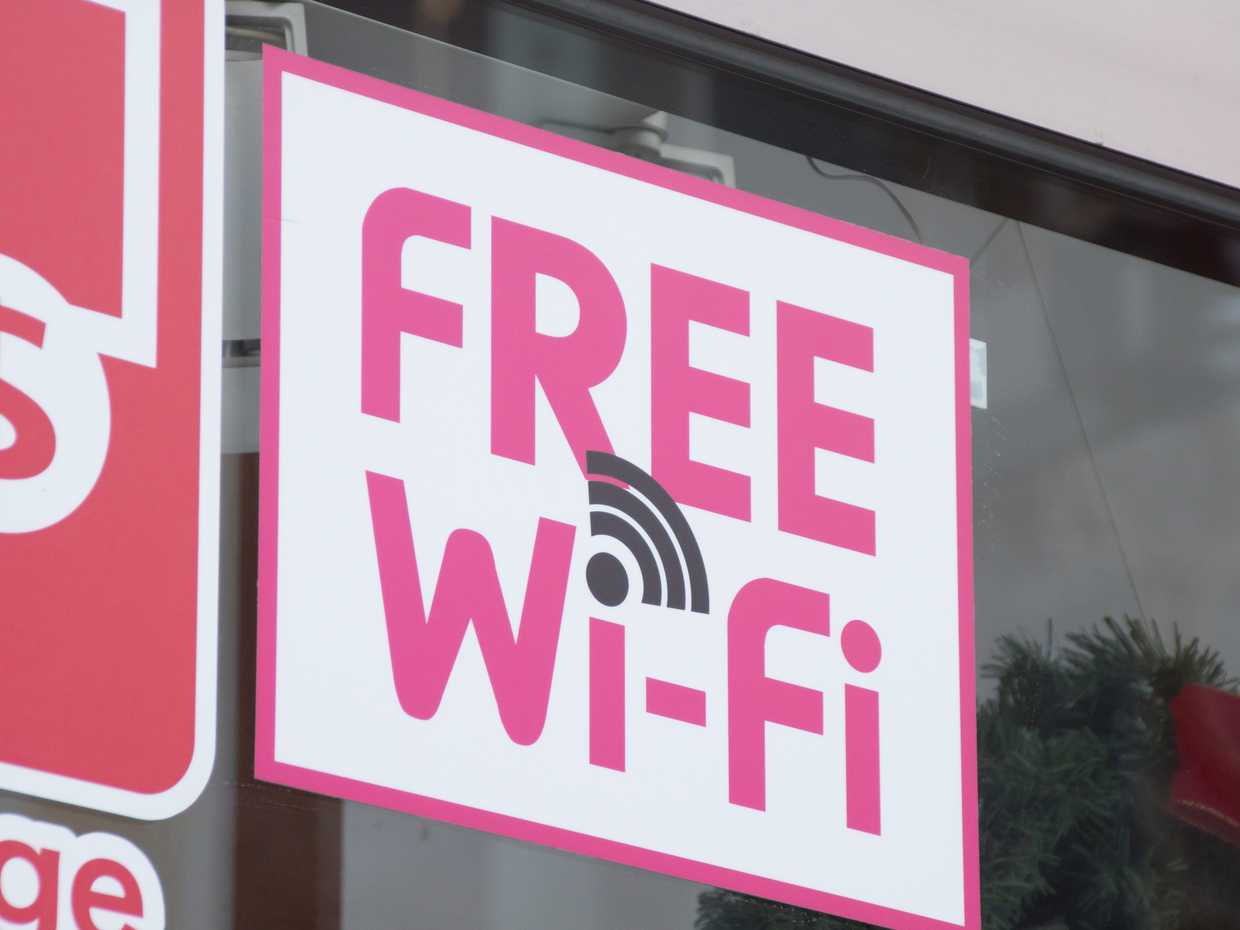
The Japan National Tourism Organization (JNTO) and the Japan Tourism Agency have introduced a common symbol mark, "Japan.Free Wi-Fi," to help foreign travelers easily identify free Wi-Fi spots.

In places where this mark is displayed, you can use free Wi-Fi services with a simple procedure.

At spots with this mark, you can connect with just a basic user registration, designed to enhance convenience for foreign visitors to Japan.


Major Spots Where You Can Find Free Wi-Fi

A person using a smartphone on a bench.

Here are the main spots across Japan where you can use free Wi-Fi.

Let's also touch on the connection methods and restrictions for each location.

Airport Free Wi-Fi

Japan's major international airports offer free Wi-Fi service in almost all terminal areas.

For travelers who want to connect to the internet immediately upon arrival, this will be their first connection point.

Airport NameWi-Fi Name

Time 

Limit

Multilingual Support
Narita International AirportFreeWiFi@NaritaUnlimitedEnglish, Chinese, Korean, Japanese
Haneda AirportHANEDA-FREE-WIFI
Kansai International AirportKIX FREE Wi-Fi
Chubu Centrair International AirportCENTRAIRFREEWIFI
Fukuoka AirportFukuokaAirport Free Wi-Fi
New Chitose AirportNewChitoseAirportFreeWi-Fi

Source/Reference: Narita International Airport "Wi-Fi / Power Outlet Spaces", Haneda Airport Passenger Terminal "Wireless LAN", Kansai International Airport "Wireless Access Spots", Chubu Centrair International Airport "Wireless LAN Service (Wi-Fi)", Fukuoka Airport FUKUOKA AIRPORT "Wi-Fi Connection Service", New Chitose Airport - Hokkaido Airports "Wireless LAN Service"

Airport Wi-Fi usually requires a simple authentication process on your browser when you first connect.

The process itself takes only a few minutes, and in many cases, you can use it without restrictions afterward.

Connection Tips

Connection speeds can slow down during peak hours, so it's recommended to avoid important downloads or sending/receiving large files.

Some airports also offer premium (paid) Wi-Fi, which is an option to consider if you need a faster, more stable connection.

Free Wi-Fi at Stations and on Trains

The availability of free Wi-Fi at train stations and on trains, including the Shinkansen (bullet train), has also been rapidly expanding in recent years.

You can almost certainly expect to find free Wi-Fi at major city stations and stations near tourist destinations.

Wi-Fi Services by JR Companies

Railway

Company

Service NameTarget AreaTime Limit
JR EastJR-EAST FREE Wi-FiMajor stations, inside ShinkansenUp to 3 hours per connection (can connect multiple times a day)
JR WestJR-WEST FREE Wi-FiMajor stations, inside limited express trainsNot specified on official website
JR CentralJR Central Free Wi-FiMajor Tokaido Shinkansen stationsUp to 15 minutes per connection (can connect multiple times a day)
JR KyushuJR KYUSHU FREE Wi-FiMajor stations, inside limited express trainsUp to 30 minutes per connection (can connect multiple times a day)
JR HokkaidoJR Hokkaido Free Wi-FiMajor stationsNot specified on official website
JR ShikokuJR Shikoku Free Wi-FiMajor stationsUp to 30 minutes, up to 4 times a day

Source/Reference: East Japan Railway Company "Expansion of Free Public Wireless LAN Service for Foreign Visitors (PDF)", JR West "Welcome to JR-WEST FREE Wi-Fi Service", Railway Fan (report based on JR Kyushu announcement) "JR Kyushu to start 'JR-KYUSHU FREE Wi-Fi' service on 885 series 'Kamome'", TRAICY (report based on JR Hokkaido announcement) "Hokkaido Shinkansen and Rapid 'Airport' to offer free Wi-Fi service sequentially from November", JR Shikoku "JR Shikoku's Free Wi-Fi Service"

Wi-Fi Services on Private Railways and Subways

Major private railway and subway companies also offer their own free Wi-Fi services.

For example, Tokyo Metro offers "Metro_Free_Wi-Fi," and Toei Subway offers "Toei_Subway_Free_Wi-Fi."

Points to Know

Wi-Fi in stations often disconnects once you move away from the station premises.

Also, regarding in-train Wi-Fi, it's not available on all cars or lines, so it's recommended to check in advance.

The connection can also become unstable in tunnel sections.

As of 2025, major Shinkansen lines like the Tokaido and Sanyo Shinkansen are equipped with in-train Wi-Fi, but be aware that many conventional lines may not have it.

*Some railway companies may have terminated or reduced their in-train free Wi-Fi services. Please check the official websites of each company for the latest information.

Convenience Store Free Wi-Fi

Japan has an extremely large number of convenience stores (konbini), and you can find them every few hundred meters in major tourist areas and cities.

Lawson offers a free Wi-Fi service.

Convenience Store ChainWi-Fi Service NameUsage Limit
LawsonLAWSON Free Wi-Fi60 minutes per session, up to 5 times a day
7-Eleven7SPOTService terminated in March 2022
Family MartFamily Mart Wi-FiService terminated in August 2022

Source/Reference: Lawson "Wi-Fi Service", NTTBP (service provider) "7SPOT to end in March 2022! Free Wi-Fi at 7-Eleven and other locations will no longer be available.", Family Mart "Free Wi-Fi Connection | Services"

Tips for Use

When using free Wi-Fi at a convenience store, it is considered good manners to purchase a product from the store.

Also, avoid long-term use and be considerate of others during busy times.

Cafe & Restaurant Free Wi-Fi

The number of cafes and restaurants offering free Wi-Fi is increasing, but it's not as widespread in Japan as it is overseas.

Major chain stores, in particular, often provide free Wi-Fi services.

Store/Chain NameWi-Fi Service NameUsage Conditions
Starbucksat_STARBUCKS_Wi2Free. One login allows continuous use for up to 1 hour (can continue by reconnecting after 1 hour).
Tully's Coffeetullys_WiFiFree. 60-minute limit.
McDonald's00_MCD-FREE-WIFIFree. 60 minutes per session.
Doutor CoffeeDOUTOR_FREE_Wi-FiFree. 60 minutes per session.

Source/Reference: at_STARBUCKS_Wi2 "at_STARBUCKS_Wi2", Tully's Coffee "What kind of service is 'tullys_Wi-Fi'?", McDonald's Official "McDonald's FREE Wi-Fi", Doutor Coffee Co., Ltd. "Launch of 'DOUTOR_FREE_Wi-Fi' Service (News Release)"

Smaller, independently owned restaurants often do not have Wi-Fi, so it's a good idea to check beforehand or ask the staff when you enter.

Usage Techniques

When using free Wi-Fi at a cafe, it's good manners to visit during off-peak hours or limit your use to a short time during peak periods.

Also, policies on using power outlets vary by store, so it's recommended to check before use.

Accommodation Free Wi-Fi

Most accommodations, such as hotels and ryokans (traditional inns), offer free Wi-Fi.

However, there are differences depending on the facility, such as whether it's available in the rooms or only in common areas like the lobby.

Accommodation

 Type

Wi-Fi AvailabilityFeatures
Major Hotel ChainsAvailable in rooms/throughout the buildingOften stable, high-speed connections
Business HotelsAvailable in roomsConnection quality can vary
Ryokan/MinshukuLobby only, or some roomsCan be unstable depending on location (e.g., mountainous areas)
Guesthouses/HostelsAvailable in common areasSpeed may decrease due to sharing among many people

Check-in Tips

It's a good idea to confirm the Wi-Fi situation when you book your accommodation.

We also recommend confirming the Wi-Fi password and connection method at check-in.

Be aware that older ryokans and inns in mountainous areas may not have adequate Wi-Fi facilities.

Tourist Spot Free Wi-Fi

Free Wi-Fi is also becoming more common at major tourist sites and commercial facilities.

Free Wi-Fi services are often provided in places frequented by many foreign tourists.

Tourist Spot/

Area

Wi-Fi Service NameFeatures
Tokyo SkytreeTOBU_Free_Wi-FiAvailable within the facility, including observation decks
AsakusaTaito Free Wi-FiAvailable around Senso-ji Temple
KyotoKYOTO Wi-FiAvailable at major tourist sites in the city
OsakaOsaka Free Wi-FiAvailable at major tourist sites in the city
Mt. FujiFujisan_Wi-FiAvailable from the 5th station upwards (summer only)

Source/Reference: Tokyo Skytree "Facility Guide | Floor Guide", Taito City "Welcome to Taito Free Wi-Fi", Kyoto City "Kyoto Wi-Fi", Osaka Free Wi-Fi (Operating Office) "Free Internet Service in Osaka Prefecture", Mt. Fuji Climbing Official Site "Mt. Fuji Climbing Official Site"

Public facilities, tourist information centers, and large shopping malls also often provide free Wi-Fi.

You can use the service in places where "Free Wi-Fi" or "Japan.Free Wi-Fi" stickers or posters are displayed.

Travel Planning Points

If you need a constant internet connection, including while on the move, it's a good idea to consider renting a pocket Wi-Fi or purchasing a local SIM card, as discussed later, rather than relying solely on free Wi-Fi.


How to Use Free Wi-Fi Connection Apps

A smartphone screen showing a Wi-Fi connection app.

To efficiently use multiple free Wi-Fi spots during your stay in Japan, we recommend using a dedicated app.

Here are some apps that can automatically connect you to Wi-Fi, saving you the trouble of manual authentication each time.

How to Use the "Japan Wi-Fi auto-connect" App

"Japan Wi-Fi auto-connect" is a free Wi-Fi auto-connection app provided by the NTT Group.

It';s a convenient app that can automatically connect to about 200,000 Wi-Fi spots nationwide. As of May 2024, it is offered as the successor to "Japan Connected-free Wi-Fi."

How to Download

  1. Search for and download "Japan Wi-Fi auto-connect" from the App Store or Google Play.
  2. Launch the app and register just once with your email address.
  3. Agree to the terms of use to complete the initial setup.

Main Features

  • Automatically connects to Wi-Fi at compatible spots nationwide.
  • Displays nearby Wi-Fi spots on a map.
  • Spot information available even offline.
  • Multilingual support (English, Chinese, Korean, Japanese).

Convenient Ways to Use

  • If you move around with the app running, it will automatically connect when you get near a compatible spot.
  • Use the "Nearby Spots" feature to check for Wi-Fi spots on a map.
  • You can check the Wi-Fi environment of your planned destinations when making your travel plans in advance.

Note that the previously offered "Japan Connected-free Wi-Fi" app ended its distribution on app stores on March 31, 2024, and is scheduled to completely terminate its service on March 31, 2026.

If you have it installed, we recommend switching to the new "Japan Wi-Fi auto-connect" app.

Wi-Fi Services & Apps Provided by Municipalities and Regions

Many municipalities and tourist areas offer their own unique free Wi-Fi services and apps.

Here are some major regional Wi-Fi services and apps.

Region/MunicipalityService/App NameCoverage AreaFeatures
TokyoTOKYO FREE Wi-FiMajor spots in TokyoSupports 5 languages, also provides tourist information
Osaka CityOsaka Free Wi-FiTourist spots in the citySupports 6 languages, also provides disaster information
Kyoto CityKYOTO Wi-FiTemples, shrines, and tourist sites in the citySupports 4 languages, also provides cultural property information
Fukuoka CityFukuoka City Wi-FiMajor facilities and downtown areas in the citySupports 4 languages, also provides restaurant information
HokkaidoHOKKAIDO Free Wi-FiMajor tourist destinations in HokkaidoAlso provides information on natural spots

Source/Reference: Tokyo Metropolitan Government Bureau of Industrial and Labor Affairs "About the Provision of 'FREE Wi-Fi &; TOKYO'", Osaka Free Wi-Fi "Osaka Free Wi-Fi App", Kyoto City "Kyoto Wi-Fi", Fukuoka City "About Fukuoka City Wi-Fi", Hokkaido Tourism Organization "HOKKAIDO FREE Wi-Fi"

Tokyo, Kyoto, Fukuoka, and Hokkaido recommend browser authentication or the unified "Japan Wi-Fi auto-connect" app for connection.

These regional apps often provide tourist information and special coupons specific to that area, so it's convenient to download them in advance if you plan to visit.

Usage Tips

If you plan to visit multiple regions, it's more convenient to install a single nationwide app like "Japan Wi-Fi auto-connect" rather than installing each regional app.

However, if you are staying in a specific region for a long time, using the dedicated regional app in conjunction can provide more detailed information.


Precautions and Security Measures for Using Free Wi-Fi

A padlock icon over a laptop, symbolizing internet security.

Free Wi-Fi is convenient, but it requires caution regarding security. Here are some points for using it safely.

Risks of Using Free Wi-Fi

When using public free Wi-Fi, you should be aware of the following security risks:

Risk of Eavesdropping

On unencrypted free Wi-Fi, your communication content could be intercepted by third parties.

Danger of Spoofed Access Points

Malicious third parties may set up fake access points with names similar to legitimate Wi-Fi networks to steal information from users who connect.

Possibility of Malware Infection

On Wi-Fi networks with inadequate security, the risk of malware infection increases.

Risk of Personal Information Leakage

When using services that handle personal information, such as online shopping or internet banking, there is a risk that your information could be leaked.

Security Measures for Safe Use

To use free Wi-Fi safely, we recommend implementing the following measures:

Choose Reliable Wi-Fi Spots

  • Use officially provided Wi-Fi services.
  • Confirm the exact Wi-Fi name with staff.
  • Do not connect to Wi-Fi networks with suspicious names.

Communication Encryption Measures

  • Use a VPN (Virtual Private Network).
  • Only use websites that start with HTTPS.
  • Install a security app.

Review Device Settings

  • Turn off the automatic Wi-Fi connection feature.
  • Turn off the Wi-Fi function when not in use.
  • Disable file-sharing functions.

Behavioral Precautions

  • Avoid entering sensitive information on free Wi-Fi.
  • Avoid online banking and payments.
  • Refrain from logging into important accounts.
  • Be cautious when downloading files on public Wi-Fi.

Practical Techniques

If you need to access sensitive information during your stay in Japan, we recommend using more secure methods like mobile data or a pocket Wi-Fi instead of free Wi-Fi.

Be especially careful when accessing financial services or important accounts.


Comparison of Other Connection Methods Besides Free Wi-Fi

Besides free Wi-Fi, there are several other ways to connect to the internet during your stay in Japan.

Let's compare their features and choose the connection method that suits your travel style.

Comparison Table of Pros and Cons for Each Connection Method

Connection MethodProsConsSuitable For
Free Wi-Fi・No cost
・Easy connection with apps
・Limited locations
・Unstable connection
・Security risks
・Short-term visitors
・Budget-conscious travelers
・Light internet users
Pocket Wi-Fi Rental・Always connected
・Connect multiple devices
・Fast and stable connection
・Rental fee required
・Battery life
・Return process required
・Group travelers
・Long-term visitors
・Business users
Prepaid SIM・Cost-effective
・Use your own device
・Stable connection
・Requires an unlocked device
・Setup required
・For one device only
・Mid-to-long-term visitors
・Solo travelers
・Tech-savvy people
International Roaming・No setup needed
・Keep your own phone number
・High fees
・Often has data limits
・Short-term visitors
・Business travelers
・Last-minute trips
eSIM・No physical SIM card
・Can be set up before arrival
・Switch between multiple lines
・Limited compatible devices
・Slightly complex setup
・Tech-savvy people
・Users with modern smartphones

Recommended Connection Methods by Travel Style

This is a guide to help you choose the best internet connection method for your travel style.

1. Short-Term Sightseeing Trip (3 days to 1 week)

  • Solo Travel: Prepaid SIM or eSIM
  • Group Travel: Pocket Wi-Fi rental
  • Business Trip: Pocket Wi-Fi or eSIM

2. Mid-to-Long-Term Stay (2 weeks or more)

  • Solo Travel: Prepaid SIM card (plan with large data capacity)
  • Study Abroad/Working Holiday: Monthly SIM card plan
  • Stay with Multiple People: Long-term pocket Wi-Fi rental plan

3. Multi-City Tour

  • Frequent travel by Shinkansen or train: Pocket Wi-Fi rental
  • Frequent travel by plane: eSIM or Prepaid SIM
  • Frequent travel by rental car: Pocket Wi-Fi rental

Selection Points

Relying solely on free Wi-Fi can lead to the stress of not being able to connect to the internet when you need it.

Especially if you plan to visit multiple tourist spots or frequently use navigation apps like Google Maps, we recommend considering a pocket Wi-Fi or SIM card that provides a constant connection.


Recommended Internet Plans for Foreign Visitors

Here are some specific internet connection plans tailored to the needs of travelers.

Recommended Pocket Wi-Fi Rental Plans

A hand holding a pocket Wi-Fi device.

Pocket Wi-Fi allows multiple devices to connect simultaneously, making it particularly suitable for group or family travel.


GTN Wi-Fi MAX(Pocket Wi-Fi)

GTN Wi-Fi MAX is a high-capacity pocket Wi-Fi rental service designed for foreign visitors and residents in Japan. You can easily apply with just your passport.

With free device rental and a high-speed 4G connection of up to 10 GB per day (max 300 GB per month), it covers all of Japan and allows up to 10 devices to be connected simultaneously. 

A bundle discount is also available when subscribed together with a Voice SIM card.

運営会社 Global Trust Networks Co., Ltd.
料金

Service Overview

ItemDetails
OperatorGlobal Trust Networks Co., Ltd.
Data Capacity10 GB / day (Up to 300 GB / month)
Monthly Fee5,390 yen (tax included)
Bundle Discount5,060 yen (330 yen discount when combined with a Voice SIM)
Initial Fee3,300 yen
Security Deposit10,000 yen

Speed Limit: Speed will be restricted to 700 kbps for the rest of the day if the 10 GB daily limit is exceeded.

Device Rental: Free of charge.

Information is accurate as of the end of January 2026.

公式HP https://www.gtn-mobile.com/s/gtn-wifi?language=en_US


Recommended SIM Card Plans for Visitors to Japan

If you are using your own unlocked smartphone, a local SIM card for Japan is a convenient option. Here are some recommended prepaid SIM card services.


GTN Prepaid SIM

Overview in 30 seconds

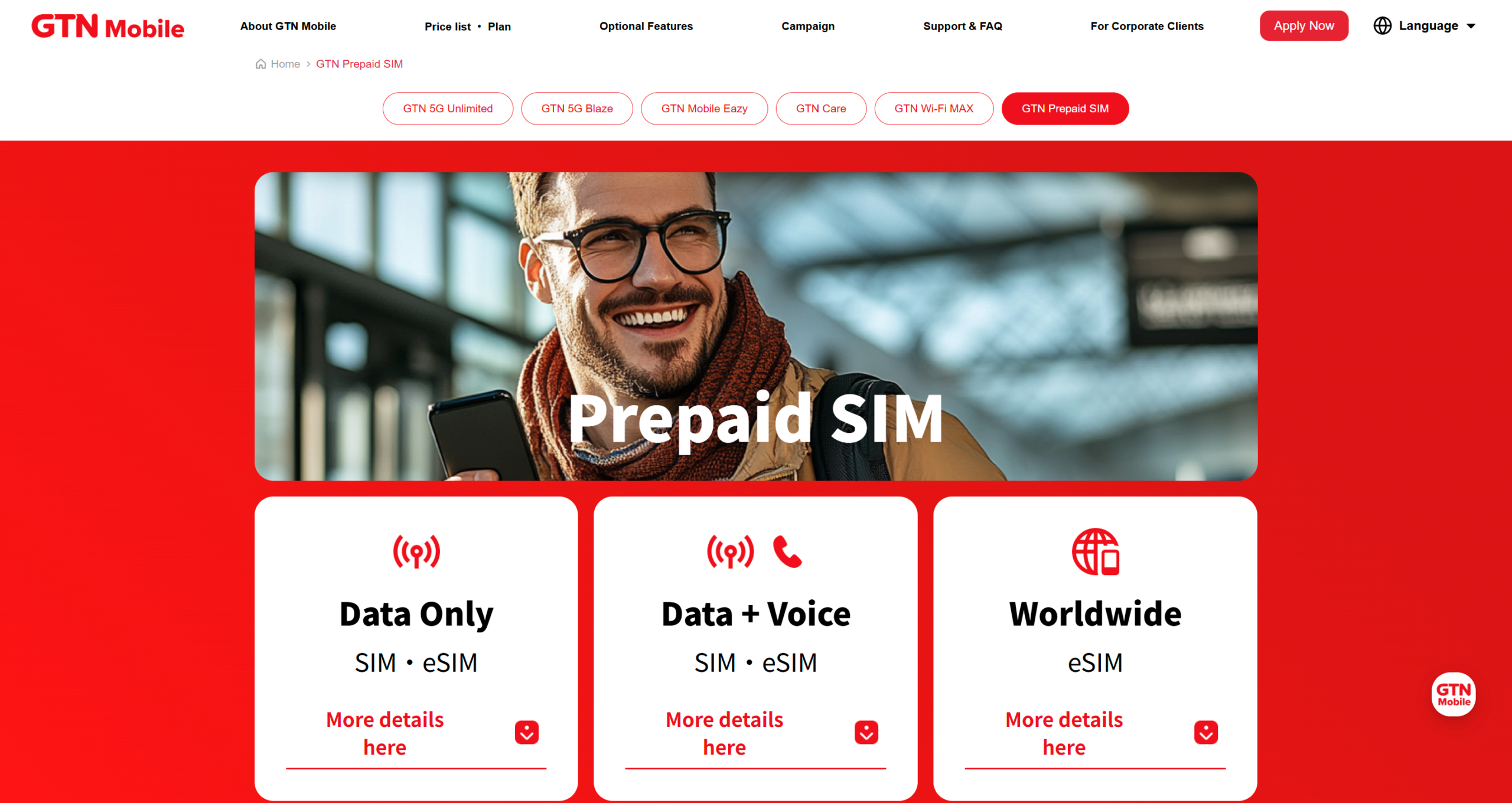
GTN Prepaid SIM is a prepaid SIM for short to medium-term visitors, offering data-only plans for a minimum of 7 days to a maximum of 90 days, and voice + data plans that allow immediate acquisition of a Japanese phone number.

Not sold at convenience stores

Available for purchase at:

  • Web application (home delivery / eSIM)
  • GTN directly managed stores (Tokyo - Shin-Okubo / Osaka)
  • Chubu Centrair International Airport Station Meitetsu Travel Plaza
  • GTN Korea Seoul Branch

Application possible with passport only

  • No residency period conditions, available for foreign visitors to Japan

Customer support in 13 languages

  • Including Japanese, English, Chinese, Korean, Vietnamese, Indonesian, Nepali, Mongolian, etc.

*Data-only eSIM also supports online applications before arriving in Japan.

運営会社 Global Trust Networks Co., Ltd.
料金

Pricing & Plans

Data-Only SIM / eSIM

For those prioritizing internet connectivity for streaming, navigation, and social media.

Data CapacityDurationPrice (Tax Incl.)
30 GB7 Days¥3,000
10 GB30 Days¥3,000
50 GB30 Days¥5,000
135 GB90 Days¥10,000

Voice + Data SIM

Ideal for those who need a local phone number for calls and SMS authentication.

Data Capacity30-Day Plan90-Day Plan
5 GB¥6,500¥15,980
15 GB¥9,500¥22,980
25 GB¥12,500¥28,980

Note on Voice Plans: > * Domestic Calls: ¥22 per 30 seconds.

SMS (Domestic): ¥3.3 to ¥33 per message.

Additional charges apply for these services.

Information as of February 2026.

公式HP https://www.gtn-mobile.com/

Four Features

Flexible Plan Structure Supporting Short to Medium Term Stays 

Data-only plans are available for 7 to 90 days, and Voice + Data plans for 30 to 90 days. You can choose a plan that matches your stay duration, from a one-week business trip to a three-month medium-term stay.

Application Possible with Just One Passport 

No credit card, bank account, or residence card is required. There are no restrictions based on the period of stay, so it can be used by foreign visitors to Japan, short-term visitors, and foreign residents in Japan.

Multilingual Customer Support 

Supports languages including Japanese, English, Chinese, Korean, Vietnamese, Indonesian, Nepali, and Mongolian. Even those who are not confident in Japanese can consult in their native language.

Supports Online Application Before Arriving in Japan (Data-only eSIM) 

Data-only eSIM plans allow online application and activation preparation before arriving in Japan. You can secure communication from the moment you arrive at the airport.

Recommended Plans by Use Case

For These PeopleRecommended PlanReason
Want to use large data for a one-week business trip or tourismData-only 7 days 30GB (3,000 yen)Enough data for short-term use of videos and maps without worries
One-month medium-term stay, mainly for communicationData-only 30 days 10GB (3,000 yen)Sufficient for 30 days if used lightly
One-month stay using video streaming and tetheringData-only 30 days 50GB (5,000 yen)Reliable data for remote work and business trips
3-month working holiday or waiting for a visaData-only 90 days 135GB (10,000 yen)90-day support, approximately 111 yen per day
Need a Japanese phone number or SMS authenticationVoice + Data Plan (in-store purchase)Supports banking, administrative procedures, and SMS authentication


Where to Purchase

Purchase ChannelReceiving MethodFor These People
Web Application (GTN Mobile Official Site)Home delivery / Instant eSIMThose who want to arrange systematically / Those who want to prepare before arrival
GTN Directly Managed Store Shin-Okubo (Tokyo)In-store immediateThose who wish for multilingual face-to-face consultation
GTN Directly Managed Store OsakaIn-store immediateThose residing or staying in Kansai
Chubu Centrair International Airport Station Meitetsu Travel PlazaReceive upon arrivalForeign visitors entering Japan via Chubu Airport
GTN Korea Seoul BranchReceive before departureThose coming to Japan via Korea


Key Points for Choosing a SIM Card

  • Check Compatibility: Ensure that your smartphone is SIM-unlocked before purchasing.
  • APN Settings: In most cases, you will need to configure the APN settings after inserting the SIM card. Please follow the provided instructions to complete the setup.
  • Duration of Use: Choose a plan with an expiration date that matches your length of stay. If the period is too short, you may need to purchase an additional card.
  • Required Data Allowance: A small data plan is sufficient if you mainly use SNS and email. However, if you plan to use video streaming or GPS navigation frequently, a high-capacity (large data) plan is recommended.


How to Use eSIM Services

An increasing number of recent smartphones support eSIM, which allows you to use mobile services without inserting a physical SIM card. Since eSIMs can be purchased and configured online before your departure, they offer the advantage of letting you access the internet immediately upon arrival.


GTN Prepaid eSIM

GTN Prepaid eSIM offers prepaid SIMs for data-only or voice + data, with durations ranging from a minimum of 7 days to a maximum of 90 days.

You can apply with just your passport. It features 5G/LTE networks and 8-language customer support. Please note that after the data is used up, speeds will be reduced and extensions are not possible, making it ideal for short- to medium-term stays.

運営会社 Global Trust Networks Co., Ltd.
料金

Data-Only SIM / eSIM

Data CapacityDurationPrice
10 GB30 Days3,000 JPY
30 GB7 Days3,000 JPY
50 GB30 Days5,000 JPY
135 GB90 Days10,000 JPY


Voice + Data SIM

Data Capacity30 Days60 Days90 Days
10 GB8,250 JPY14,850 JPY21,450 JPY
30 GB12,100 JPY19,800 JPY27,500 JPY

•Domestic call charges are 22 JPY per 30 seconds (tax included). SMS charges range from 3.3 to 33 JPY (tax included) per message (domestic).

•Information as of November 2025.

公式HP https://www.gtn-mobile.com/

Features

High-Capacity and Flexible Plans 

The lineup ranges from 10 GB to 135 GB for Data-Only plans and 5 GB to 25 GB for Voice + Data plans, covering everything from short-term travel to mid-term stays.

Get a Japanese Phone Number Immediately (Voice Plan) 

SMS authentication and domestic calls are available immediately, making various registrations smooth. In 5G areas, video streaming is seamless. There are no tethering restrictions (dependent on the device).

Customer Support in 8 Languages 

Highly rated by international visitors for offering peace of mind when consulting, even if you are not confident in Japanese.

Online Application Available Before Arrival (Data-Only) 

Activation preparations can be completed before coming to Japan, and airport pickup is also available.


Recommended For

  • Travelers and Business Visitors Staying 30–90 Days: Those who want to secure high-capacity connectivity as an alternative to hotel Wi-Fi.
  • New Residents Looking for a "Bridge" Until a Long-Term Contract: Those who need a plan with voice calls to get by until their bank account and Residence Card are ready.
  • International Residents Uneasy About Credit Cards or Japanese Language: Those who want multilingual support and to apply using only a passport.
  • Staff for Events or Short-Term Projects: Corporations and organizations seeking SIM cards with easy activation procedures that do not need to be returned.


Tips for Using an eSIM

  • Advance Preparation: Download and complete the eSIM setup before your departure. This eliminates the need for any procedures at the airport.
  • Check Device Compatibility: Ensure your device supports eSIM, such as iPhone XS or later, Google Pixel 3 or later, and other compatible models.
  • Dual SIM Usage: Many devices allow you to use a physical SIM and an eSIM simultaneously. This allows you to keep your home phone number active while using data in Japan.
  • Data Roaming Settings: After activating the eSIM profile, don't forget to turn on "Data Roaming" to enable the connection.


Frequently Asked Questions

A person looking at a smartphone with a question mark icon.

Here are some frequently asked questions from foreign visitors about the Wi-Fi situation in Japan, along with their answers.

Is free Wi-Fi really scarce in Japan?

While it was previously said that there were fewer public free Wi-Fi spots compared to Western countries, the situation has significantly improved since the Tokyo Olympics and Paralympics.

Free Wi-Fi is now available, especially at major tourist destinations, airports, stations, cafe chains, and convenience stores.

However, some smaller restaurants and rural tourist spots may still lack adequate facilities.

Also, even where free Wi-Fi is available, there are often restrictions on connection procedures and usage time, so we recommend not relying solely on free Wi-Fi for important tasks.

Are free Wi-Fi apps really safe?

Official apps like "Japan Wi-Fi auto-connect" are provided by major telecommunications companies like the NTT Group and have basic security measures in place.

These apps are designed to connect only to reliable free Wi-Fi spots.

However, the security risks of free Wi-Fi itself cannot be completely eliminated.

We recommend using more secure connection methods like a pocket Wi-Fi or mobile data, especially when handling sensitive information (bank accounts, credit card details, etc.).

What should I do if I can't connect to free Wi-Fi in Japan?

If you can't connect to free Wi-Fi, try the following solutions:

  • Check Wi-Fi Settings: Make sure your smartphone's Wi-Fi function is turned on.
  • Confirm the Correct Network Name: Check that you have selected the correct Wi-Fi name (SSID).
  • Complete Browser Authentication: Many free Wi-Fi services require browser authentication after connecting. Open your browser to complete the authentication process.
  • Move to a Different Location: Move closer to the Wi-Fi router to improve the signal strength.
  • Try Reconnecting Later: It can be difficult to connect during peak times. Try again after some time has passed.
  • Restart Your Device: Restart your smartphone or tablet and try connecting again.

If these methods don't work, consult the facility staff or consider another connection method (mobile data, pocket Wi-Fi, etc.).

Is free Wi-Fi available in mountainous areas or rural regions?

Compared to urban areas, Wi-Fi infrastructure may not be as well-developed in mountainous or rural regions.

While major tourist spots, large stations, and hotels in hot spring towns often provide free Wi-Fi, coverage is limited in mountainous areas and on remote islands.

If you are planning a trip to enjoy nature or tour rural areas, we recommend preparing a pocket Wi-Fi rental or a SIM card with a large data allowance.

However, some popular natural spots, like Mt. Fuji (from the 5th station upwards) and tourist facilities in major national parks, may offer free Wi-Fi services.

What can I do if the free Wi-Fi connection is slow?

If your free Wi-Fi connection is slow, try the following measures:

  • Avoid Peak Hours: The network gets congested when many people use it at the same time (e.g., a cafe during lunch break). Try using it during off-peak hours.
  • Move Closer to the Router: Move to a position closer to the Wi-Fi router to improve the signal.
  • Refrain from High-Volume Data Usage: Avoid data-intensive activities like watching videos or downloading large files.
  • Close Background Apps: Close unnecessary apps running on your smartphone to reduce data consumption.
  • Disable VPN: If you are using a VPN, temporarily disabling it may improve speed.
  • Restart Your Device: Restarting your device can sometimes improve the connection status.

If the speed still doesn't improve, try again at a different time or consider a more stable connection method (pocket Wi-Fi or SIM card).


In Conclusion

In this article, we have explained the free Wi-Fi situation in Japan.

While Japan's free Wi-Fi environment is steadily improving, if you want to use the internet without stress during important moments of your trip, we recommend combining free Wi-Fi with paid services as needed.

With proper preparation and the right choices, you can ensure a comfortable internet environment during your stay in Japan.

関連記事

おすすめ記事