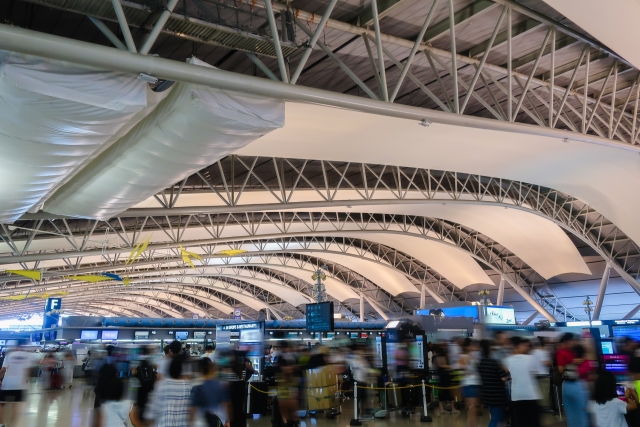
Kansai Airport Pocket WiFi | A Comprehensive Guide to Selection Criteria and Comparison with SIM Cards - GTN MAGAZINE
日本語
日本語
English

Kansai Airport Pocket WiFi | A Comprehensive Guide to Selection Criteria and Comparison with SIM Cards

For foreign travelers visiting Japan, internet connectivity is an essential travel necessity.

Pocket WiFi rentals available at the airport are particularly convenient for those wanting immediate internet access upon arrival at Kansai Airport.

This article provides a detailed guide to choosing pocket WiFi services at Kansai Airport and offers a thorough comparison with SIM cards.

What is Pocket WiFi?

Pocket WiFi refers to a palm-sized portable communication device (mobile router) that you can carry with you anywhere.

It's a service that allows you to wirelessly connect multiple devices such as smartphones, laptops, and tablets to the internet regardless of your location.

How Pocket WiFi Works

Pocket WiFi connects to the internet using mobile phone networks (mobile circuits), just like smartphones do.

The device receives radio waves from the nearest base station and converts them into WiFi signals, which are then provided to surrounding smartphones and computers.

Since the device itself serves as a WiFi access point, you can establish your own dedicated network environment anywhere within the signal coverage area.

Key Features of Pocket WiFi

Pocket WiFi has the following characteristics that distinguish it from fixed-line internet and smartphone tethering:

  • Portability: The main advantage is its compact, lightweight design that offers complete freedom of mobility. With a built-in battery, it can be used outdoors even without a power source.
  • Multiple Device Connection: A single Pocket WiFi device can connect multiple devices to the internet simultaneously. This is convenient when sharing with family and friends or using a computer and smartphone at the same time.
  • No Installation Required - Ready to Use: Unlike fixed-line internet, there's no need for physical line installation work. Once you receive the device, you can start using it immediately with simple setup.
  • Security: Since it uses password protection, it offers higher communication security compared to public wireless LAN (free WiFi) that anyone can access.

Benefits of Renting Pocket WiFi at Kansai Airport

For foreign visitors traveling to Japan, internet connectivity is practically essential.

The benefits of renting Pocket WiFi immediately upon arrival at Kansai Airport include:

1. Internet Access Right After Arrival

While Kansai Airport provides free WiFi, it's only available within the terminal building.

If you want to use map apps or communication tools after leaving the airport, you'll need Pocket WiFi.

By picking up your device right after arrival, you can secure a comfortable internet environment from that moment.

2. Simultaneous Use on Multiple Devices

When traveling with family or friends, you'll often want to connect multiple smartphones and tablets to the internet.

Pocket WiFi allows you to connect up to about 10 devices simultaneously with a single unit, making it perfect for group travel.

3. Higher Security Than Public WiFi

While public free WiFi is convenient, it raises security concerns.

There's also risk of personal information leakage, so special caution is needed when using financial apps or online shopping.

In contrast, Pocket WiFi provides dedicated encrypted connections, allowing you to use the internet more safely.

4. Usable Throughout Japan

From Kansai Airport, you can maintain stable communication not only in the Kansai region including Osaka, Kyoto, and Nara, but anywhere in Japan including Tokyo, Hokkaido, and Kyushu.

Major Pocket WiFi services use networks from major mobile carriers boasting population coverage of over 99%, so you can use them without problems in most areas except mountainous regions.

Points to Consider When Choosing Pocket WiFi

When renting Pocket WiFi at Kansai Airport, considering the following points will help you choose the service that's best for you.

1. Compare Rental Fees

Even for the same communication service, fees can vary significantly between companies.

For multi-day use especially, differences can exceed 1,000 yen per day, so calculate the total cost.

It's also important to compare total amounts including pickup/return fees and various option charges.

2. Data Capacity and Speed Limitations

Even services marked as "unlimited" typically impose speed restrictions after exceeding a certain amount.

For example, some services apply 1Mbps speed restrictions until the next day after exceeding 3GB per day.

While this isn't problematic for regular web browsing or SNS use, if you plan to frequently stream videos or perform high-capacity data communications, we recommend checking the speed restriction conditions.

3. Convenience of Pickup and Return

At Kansai Airport, pickup locations and operating hours vary by service. If you're arriving early in the morning or late at night, it's convenient to choose a service with 24-hour pickup locations.

Also check the return methods. Many services allow not only airport returns but also mailbox drop-off.

4. Support System

For international travelers, support during troubles is an important consideration. Check if there's 24-hour support and multilingual support in English and other languages for peace of mind.

Choosing a service with prompt and courteous trouble response will reduce stress during your trip.

Pocket WiFi or SIM Card - Which Should You Choose?

There are two options for securing communication in Japan: Pocket WiFi and SIM cards.

Let's compare the advantages and disadvantages of each.

Advantages of Pocket WiFi

  • Multiple Device Simultaneous Use: Connect up to about 10 devices with one Pocket WiFi unit
  • No Smartphone Settings Changes Required: No hassle of SIM card replacement
  • Reduced Battery Consumption: Minimizes smartphone battery drain
  • Ideal for Group Travel: Cost-effective when used by multiple people

Disadvantages of Pocket WiFi

  • Carrying Inconvenience: Need to carry an additional device
  • Battery Depletion Concerns: Cannot be used when battery runs out
  • Slightly More Expensive Than SIM Cards: Often costs more than SIM cards for single-person use

Advantages of SIM Cards

  • No Carrying Hassle: Simply insert the SIM card into your smartphone
  • No Battery Issues: No need to worry about additional device battery depletion
  • Ideal for Solo Travel: Often more cost-effective for individual use

Disadvantages of SIM Cards

  • Single Device Use Only: Basically usable on only one device (though tethering may be possible)
  • Device Settings Changes Required: Requires SIM card replacement and settings changes
  • May Not Work on Some Devices: Cannot be used on devices with SIM locks
  • High Device Battery Consumption: Consumes smartphone battery

Recommended Selection Criteria

Pocket WiFi is recommended when:

  • Traveling with family or groups
  • Wanting to connect multiple devices (smartphones, tablets, laptops, etc.)
  • Wanting to avoid smartphone settings changes
  • Your device is not SIM-free

SIM cards are recommended when:

  • Traveling alone
  • Wanting to minimize luggage
  • Staying for extended periods
  • You have a SIM-free device

Process from Application to Return

Here's the general process from Pocket WiFi application to return.

Since procedures may vary slightly by service, please check each service's official website for details.

1. Advance Reservation (Recommended)

Most services allow advance reservations through their official websites.

You specify departure date, return date, pickup location, return method, etc. Benefits of advance reservation include:

  • Inventory Guarantee: Risk of stock shortage with same-day applications, especially during busy periods
  • Discount Application: Some services offer discounts for advance reservations
  • Reduced Processing Time: Shortens pickup time at the airport

2. Same-Day Pickup

After arriving at Kansai Airport, pick up your Pocket WiFi at the location specified during reservation.

Counter Pickup

  1. Present reservation confirmation email or reservation number
  2. Show identification such as passport
  3. Make payment (credit card or cash)
  4. Receive device and brief usage explanation

3. Usage Instructions

  1. Press and hold the power button to start (usually about 3 seconds)
  2. Open WiFi settings on your smartphone or tablet
  3. Select the SSID listed on the device
  4. Enter the password (listed on device) to connect
  5. Confirm internet connection

4. Return Methods

After your trip ends, return the device using one of the following methods:

Airport Counter Return

  • Bring the device to the designated return counter before departure
  • Hand the device to staff and receive a return confirmation

Return Box Drop-off

  • Insert the device into the return box in the airport
  • Press the confirmation button after insertion (in some cases)

Mail Drop-off Return

  • Place the device in the provided return envelope
  • Drop in a domestic mailbox (usually postage-free)

Frequently Asked Questions

Q1: Can I apply for Pocket WiFi on the same day at Kansai Airport?

A: Yes, same-day applications are possible with many services.

We recommend advance reservations as stock may run out during busy periods.

Q2: Do unlimited plans still have speed restrictions?

A: Yes, many "unlimited" plans still impose speed restrictions after exceeding certain data usage.

Q3: Where can I use Kansai Airport's free WiFi?

A: Kansai Airport has two free WiFi networks: "FreeWiFi-KansaiAirports" and "FreeWiFi-KansaiAirports_2.4G."

These are available within the airport but become unusable once you leave. Speed may also decrease during congested times.

Q4: What happens if I forget to return the device?

A: Late return fees will apply. You may also be charged device compensation costs (approximately 20,000-30,000 yen) if it's considered lost. Purchasing insurance may waive or reduce compensation costs.

Q5: Can I rent without speaking Japanese?

A: Yes, major Pocket WiFi services have English-speaking staff on duty or provide English guidance materials.

Q6: Can I rent without a credit card?

A: While most services primarily use credit card payments, some allow cash payments. Airport counter pickups especially often accommodate cash payments. We recommend checking each service's payment methods in advance.

Conclusion

Pocket WiFi, which provides immediate internet access upon arrival at Kansai International Airport, is an essential item for comfortable travel in Japan.

As introduced in this article, there are many convenient services available for same-day pickup at airport counters.

Comparing and considering the advantages and disadvantages of each company's pricing plans, data capacity, communication speed, and ease of rental and return is key to selecting the optimal device.

Find the Pocket WiFi that perfectly matches your travel style and enjoy a stress-free, comfortable trip to Japan.


関連記事